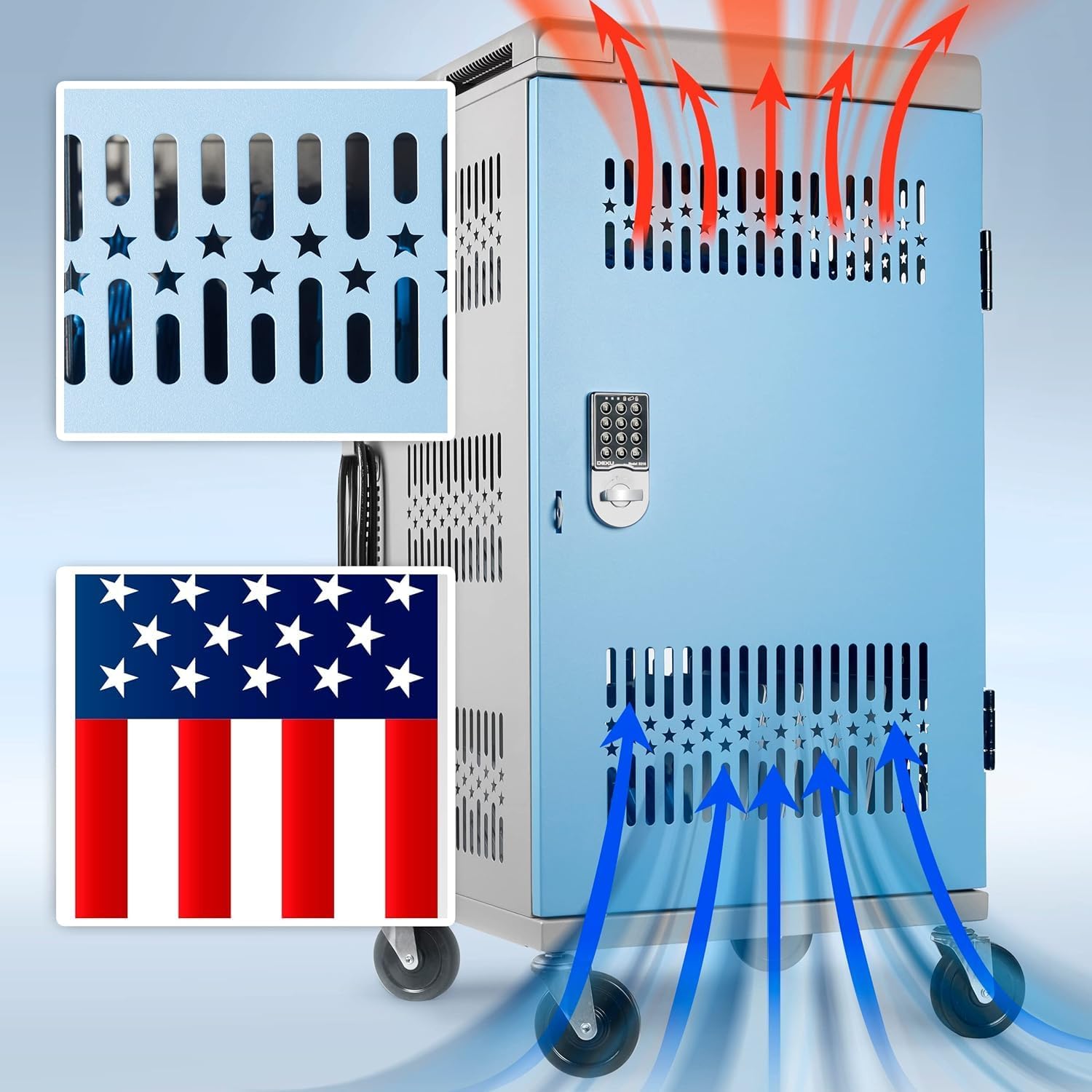
Picture this: a rolling metal cabinet, roughly the size of a tall filing drawer, that holds thirty laptops or tablets in individual slots and charges all of them overnight — ready for the next school day with full batteries. That’s a device charging cart (also called a Chromebook cart or laptop charging station). Schools started buying them in large numbers during the 1:1 device push of the early 2010s, and by 2026 they’re standard infrastructure in K–12 classrooms, computer labs, and library media centers. The problem is that a bad purchasing decision in this category isn’t just inconvenient — it’s a code-compliance issue, a fire-safety issue, and a budget hole that shows up 18 months after the invoice is paid. This guide is written for the technology coordinator, curriculum director, or building principal who has a purchase order in hand and needs to make the right call before the end of the fiscal year.
If that’s you, here’s what you’ll leave with: the four non-negotiable specifications, a plain-English breakdown of what UL certification actually means in this context, a side-by-side comparison of the major vendor tiers, and a clear decision rule for matching your fleet size and building layout to the right cart.
The Four Specifications That Actually Determine Your Decision
Most sales conversations start with device capacity — how many Chromebooks fit? — and that’s understandable, but capacity is the least differentiating variable. Any cart from any major vendor will hold 24, 30, or 36 devices. What separates a five-year purchase from a two-year headache is the combination of four specs that most buyers don’t ask about until something goes wrong.
1. UL 2441 Certification (not just “UL Listed”)
UL 2441 is the specific Underwriters Laboratories standard written for mobile device management and charging units. It covers thermal management (heat buildup inside a sealed enclosure during simultaneous charging), circuit protection (what happens when a device shorts or a cable fails), and structural integrity. Per the UL 2441 standard documentation, a compliant cart must demonstrate safe charging under a defined worst-case load — typically all bays charging simultaneously.
The phrase to watch for on spec sheets is “UL 2441 listed” or “UL 60950-1 compliant for the internal power distribution.” Some vendors market carts as “UL Listed” because the power strip inside carries a UL mark — that’s not the same as the enclosure itself being UL 2441 certified. If a cart’s listing just says “UL Listed components,” ask the vendor for the specific certificate number and the standard it was tested against. Vendors like Bretford, Anthro (now part of Ergotron), and Tripp Lite publish their UL 2441 certificate numbers in their product documentation; others don’t, and that gap tells you something.
2. Amperage per Bay, Not Total Amperage
A 30-bay cart that advertises “1,800 watts total” sounds robust, but the math matters. Divide 1,800W by 120V and you get 15 amps total — the same as a standard 15-amp classroom circuit. If the cart is designed to distribute that load across all 30 devices simultaneously, each device receives approximately 0.5 amps. Most Chromebooks charge efficiently at 2–3 amps. The practical result: devices charge slowly and the internal wiring runs hot.
By the numbers:
| Cart type | Total circuit | Bays | Amps per bay (simultaneous) | Adequate for Chromebook? |
|---|---|---|---|---|
| Budget 30-bay, 15A | 1,800W / 120V | 30 | ~0.5A | No |
| Mid-range 30-bay, 20A | 2,400W / 120V | 30 | ~0.8A | Marginal |
| Higher-spec 30-bay, staggered charging | varies | 30 | 2–3A (sequenced) | Yes |
Staggered or “intelligent” charging — where the cart’s internal controller sequences charging rather than hitting all bays at once — solves this problem and also means you can plug a 30-bay cart into a single 20-amp outlet without tripping a breaker. Bretford’s PowerSync+ series and Ergotron’s ZIP40 both use sequenced charging controllers; their published specifications confirm the approach.
3. Cord Management and Sync Architecture
If your district manages devices centrally — pushing OS updates, enrollment configurations, or managed app installs overnight — the cart needs a USB sync pass-through or a network-managed charging controller, not just power. Sync-capable carts route data through a hub so devices can be connected to a network-enrolled MDM (Mobile Device Management) system while stored. Non-sync carts charge only; updates have to happen wirelessly over Wi-Fi or manually.
For Chromebooks specifically, because ChromeOS updates push automatically over Wi-Fi when the device is powered on, many districts run charge-only carts and do fine. The exception is Apple iPad fleets, where wired sync remains common for configuration profiles. Per CoSN’s 2025 “Managing 1:1 Programs” report, roughly 62% of surveyed districts reported running charge-only carts for Chromebook fleets specifically, while 71% of iPad-primary districts maintained at least some wired-sync capability.
4. Caster Rating and Floor Suitability
Classroom floors are hard on casters. A 30-bay cart loaded with Chromebooks weighs 80–120 lbs depending on the devices. Add a teacher who pulls it across a door threshold, a rubber gym floor, or a cracked hallway tile, and a caster rated for 50 lbs per wheel becomes the single most common failure point in this product category. Look for swivel casters rated at 75–100 lbs each (for a four-caster cart, that’s 300–400 lbs total rated load — well above actual cart weight, which is your margin of safety). Locking casters on at least two wheels are required by most district safety policies and are consistent with ADA Section 4.27 guidance on equipment stability in shared spaces.
Vendor Tiers and Where to Place Your Budget
The classroom charging cart market has stratified into three clear tiers by 2026, and the tier you belong in is mostly determined by fleet size and management complexity — not budget preference.
Entry tier ($150–$350): Offex, AVer, Loctek
These carts appear frequently on DonorsChoose campaigns and in single-classroom pilots. Published specs typically show 15-amp total circuits, no staggered charging, and casters with 12–18 month warranties. They’re adequate for a single teacher’s class set of 20–24 devices where the cart stays in one room and charges overnight. The honest limitation: district procurement offices often can’t accept these on a large PO because they lack UL 2441 certification at the enclosure level, which can create an issue during insurance audits or facility safety inspections. Per NFPA 70 (National Electrical Code) Article 645, IT equipment rooms and managed charging environments in schools have specific circuit requirements; entry-tier carts sometimes require a variance to be compliant.
Mid-range ($350–$650): Tripp Lite, Peerless-AV, LocknCharge
This is the sweet spot for most district-level purchases. Tripp Lite’s CS30USB and similar SKUs carry documented UL 2441 listings and publish per-bay amperage clearly. LocknCharge’s Carrier series is notable for its “bucket” individual compartment design — each device sits in a separate tray rather than hanging in a slot, which reduces the cable tangling and port stress that operators in long-run reviews consistently identify as the failure mode on slot-style competitors. Caster warranties at this tier typically run 2–3 years. These carts clear most district insurance and fire marshal checklists without a variance.
Institutional tier ($650–$1,200): Bretford, Ergotron, Anthro
If you’re managing a building-wide or district-wide deployment — think 10+ carts under a single purchase order — the institutional tier pays for itself in service life and supportability. Bretford and Ergotron both offer replacement parts programs, meaning a broken caster or a failed power module can be field-swapped rather than requiring a full cart replacement. Bretford’s published warranty on its PowerSync+ line covers the charging system for five years and the cart frame for seven; Ergotron’s ZIP40 carries a five-year total warranty. Across aggregated reviewer feedback from district technology directors, the pattern is consistent: the institutional tier’s higher upfront cost is recovered within 36 months compared to replacing two entry-tier carts.
Compliance Considerations You Can’t Skip
Two compliance checkpoints catch buyers off guard most often.
Electrical circuit requirements. The NFPA 70 National Electrical Code, Article 645, governs IT equipment charging environments in educational facilities. If your cart is being used in a designated computer room (a room built and permitted specifically for IT equipment), the requirements are more stringent than a general-purpose classroom. Most classroom deployments don’t trigger Article 645’s full requirements, but the fire marshal in your district may have adopted local amendments. Check with your facilities director before the PO closes — not after the carts arrive.
ADA operating mechanisms. ADA 2010 Standards Section 4.27 requires that controls and operating mechanisms in spaces accessible to the public (which includes school hallways and shared spaces) be operable with one hand and not require tight grasping or twisting. The practical implication for charging carts: locking mechanisms that require a key plus a two-hand pinch grip don’t meet this standard for placement in a publicly accessible hallway. If carts will be in hallways, specify a cart with a single-motion lock. This comes up in special education settings particularly, and occupational therapists reviewing classroom equipment sometimes flag it during accessibility audits.
The Decision Rule
After reviewing the specifications and vendor landscape, the pattern is clear enough to state directly:
- If you’re outfitting one or two classrooms on a tight budget and the devices are Chromebooks on Wi-Fi MDM, a mid-range charge-only cart from Tripp Lite or LocknCharge is the honest answer. Get the UL 2441 certificate number before you sign.
- If you’re managing 5+ carts on a single PO, or if your facilities team has flagged NFPA 70 Article 645 applicability, move to the institutional tier. The Bretford PowerSync+ or Ergotron ZIP40 will clear procurement compliance review faster, and the five-year charging warranty eliminates the quiet budget hit of replacing a failed power module at year two.
- If you’re managing an iPad fleet with wired-sync requirements, sync architecture is non-negotiable — filter for carts with documented USB hub throughput per bay, not just “sync capable” marketing language, and verify it with your MDM vendor before purchasing.
- If the cart will live in a hallway or shared corridor rather than a dedicated classroom, ADA Section 4.27 compliance on the locking mechanism is a non-negotiable filter, not an optional feature.
The sales cycle on classroom charging carts is short — district tech coordinators typically close these in 30–60 days — but the service life is five to seven years. The compliance paperwork you skip at purchase becomes the fire marshal exception or the insurance audit finding you manage for the next three budget cycles. Getting the UL certificate number and the per-bay amperage spec takes ten minutes. That’s the shortcut.